
Student records for small schools.
Classes, attendance, grades, progress notes, fees and a parent portal, in the same system as your enquiries and messages. Set up in an afternoon, run by the people you already have.
- Students, classes and attendance
- Grades, progress notes and fees
- A portal for parents on any phone
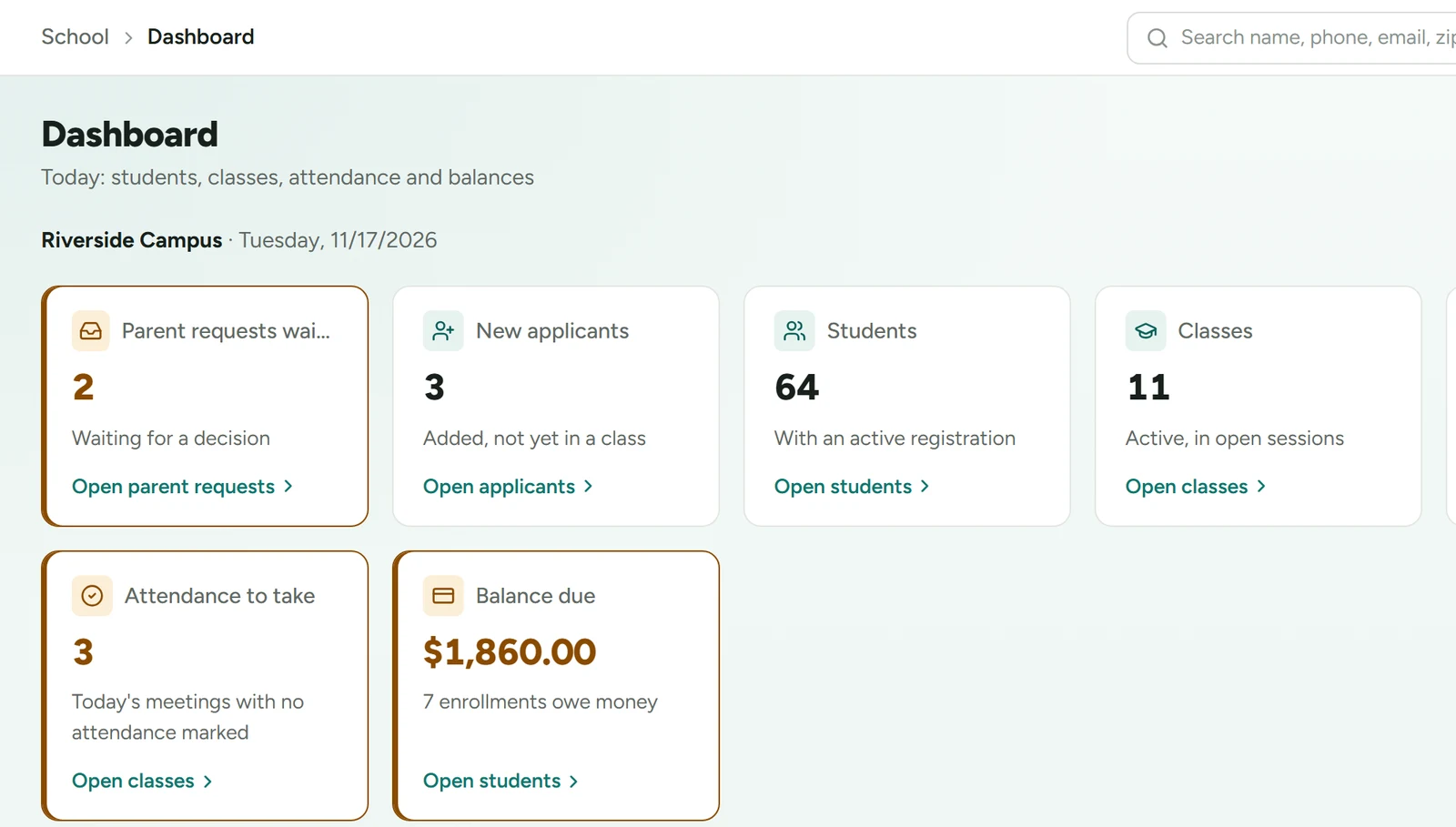
A student information system sized for a small school.
Tutoring centers, weekend schools, enrichment programs and small private schools need the same records a college keeps, with a fraction of the screens. This is the school module of VbConnect, in a layout that keeps only what you use.
- Programs and coursesWhat you teach, with grade scales and fee templates you set once.
- Class schedulesSections by session, with meeting days, times, rooms, instructors and a seat limit.
- Students and parentsOne record per student, linked to their parent, with every class, mark and payment.
- AttendanceTaken by the teacher for today's meeting, with late minutes and notes.
- Grades and progress notesMarks against your grade scale, and written notes you can share with parents.
- Fees and the ledgerCharges, payments and a payment schedule per student, with the family balance.
Getting set up takes four steps.
Each step uses what the one before it created, so you never type the same thing twice. We do the first pass with you.
-
Set up your location
Your school's name, address, rooms, sessions and holiday calendar. Staff get their own sign-in and see only what their role allows.
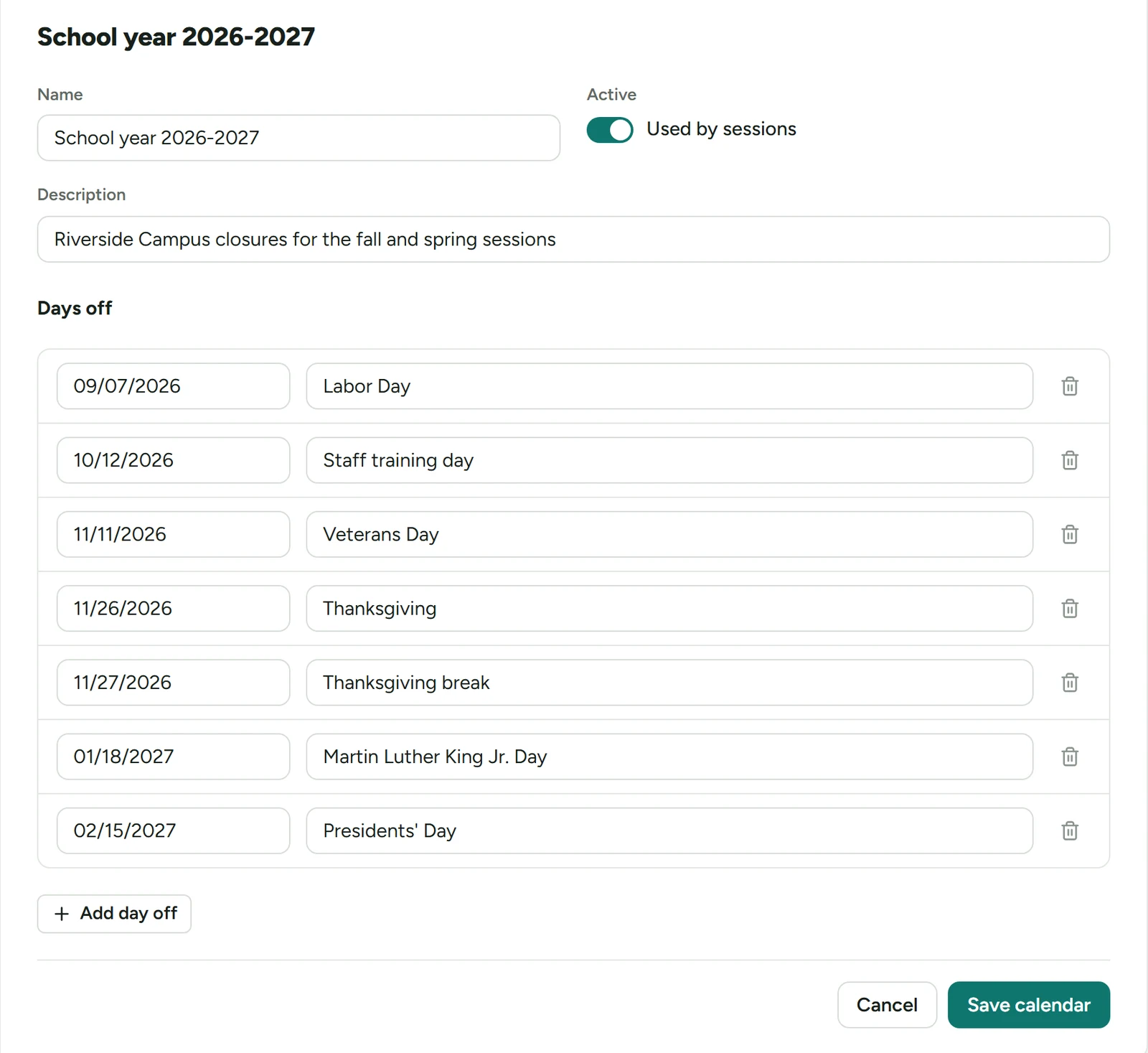
A holiday calendar. Classes skip these days on their own. -
Add programs and courses
List what you teach and how it is graded. Attach a fee template, so every class in a program charges the same way without retyping it.
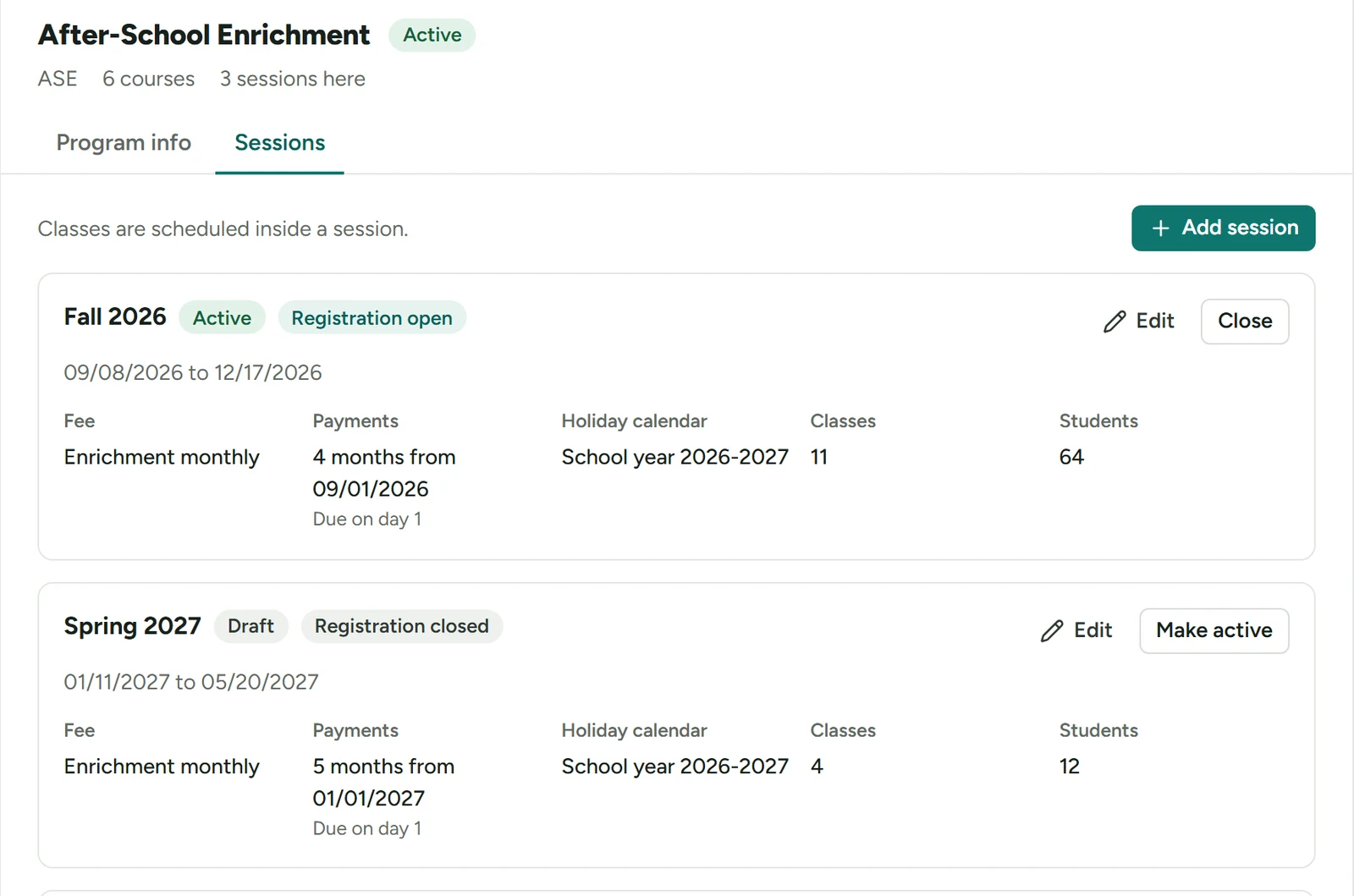
A program and its sessions, each with its fee and holiday calendar. -
Build the class schedule
Create a section for each course in a session: the days it meets, the time, the room, the instructor and how many students it takes. Every meeting is on the calendar from day one.
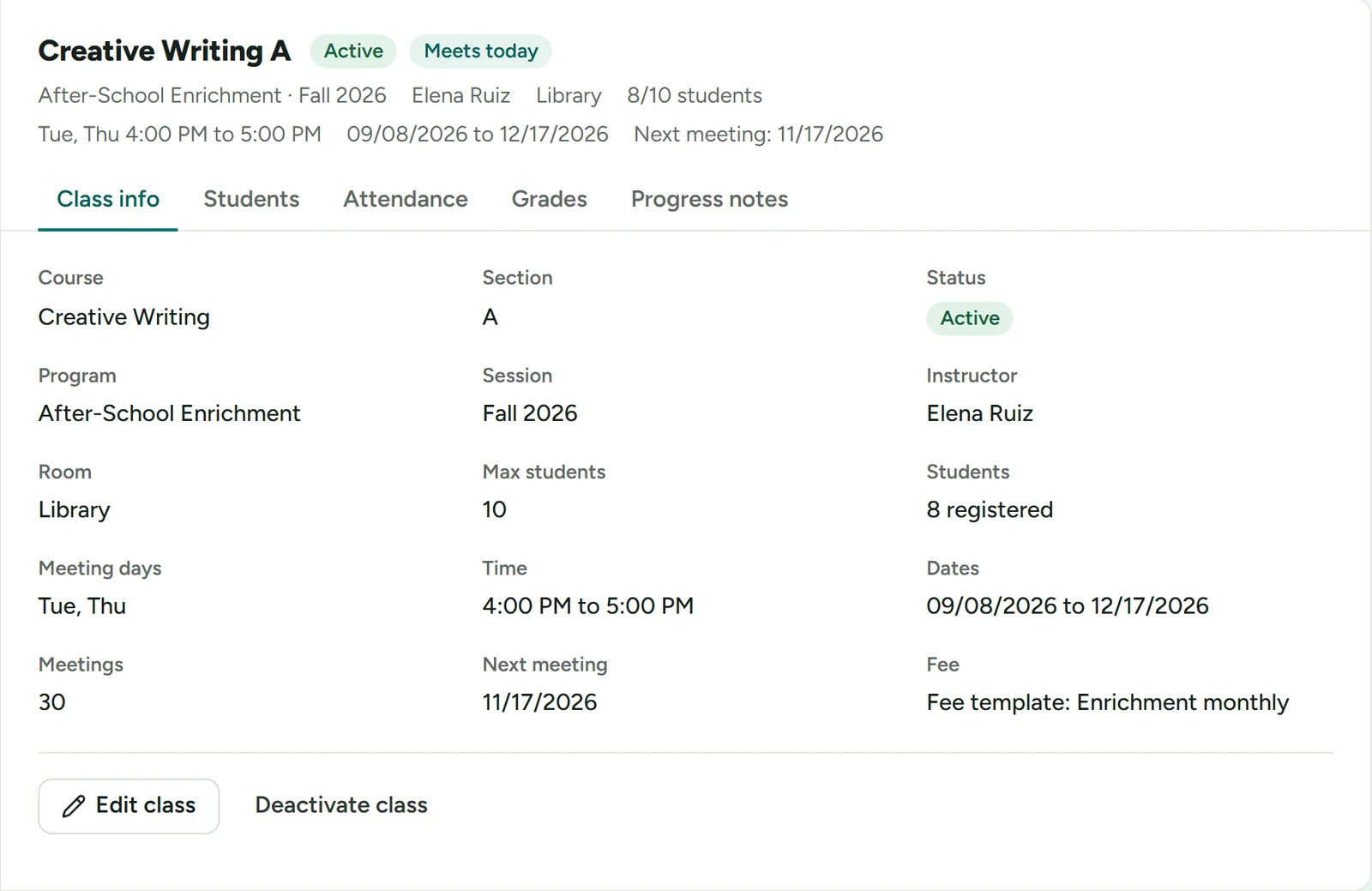
One class: when it meets, who teaches it, and what it costs. -
Add students and register them
Add a student with their parent in one short form, or bring your list over from a spreadsheet. Then register them into classes, several at a time.
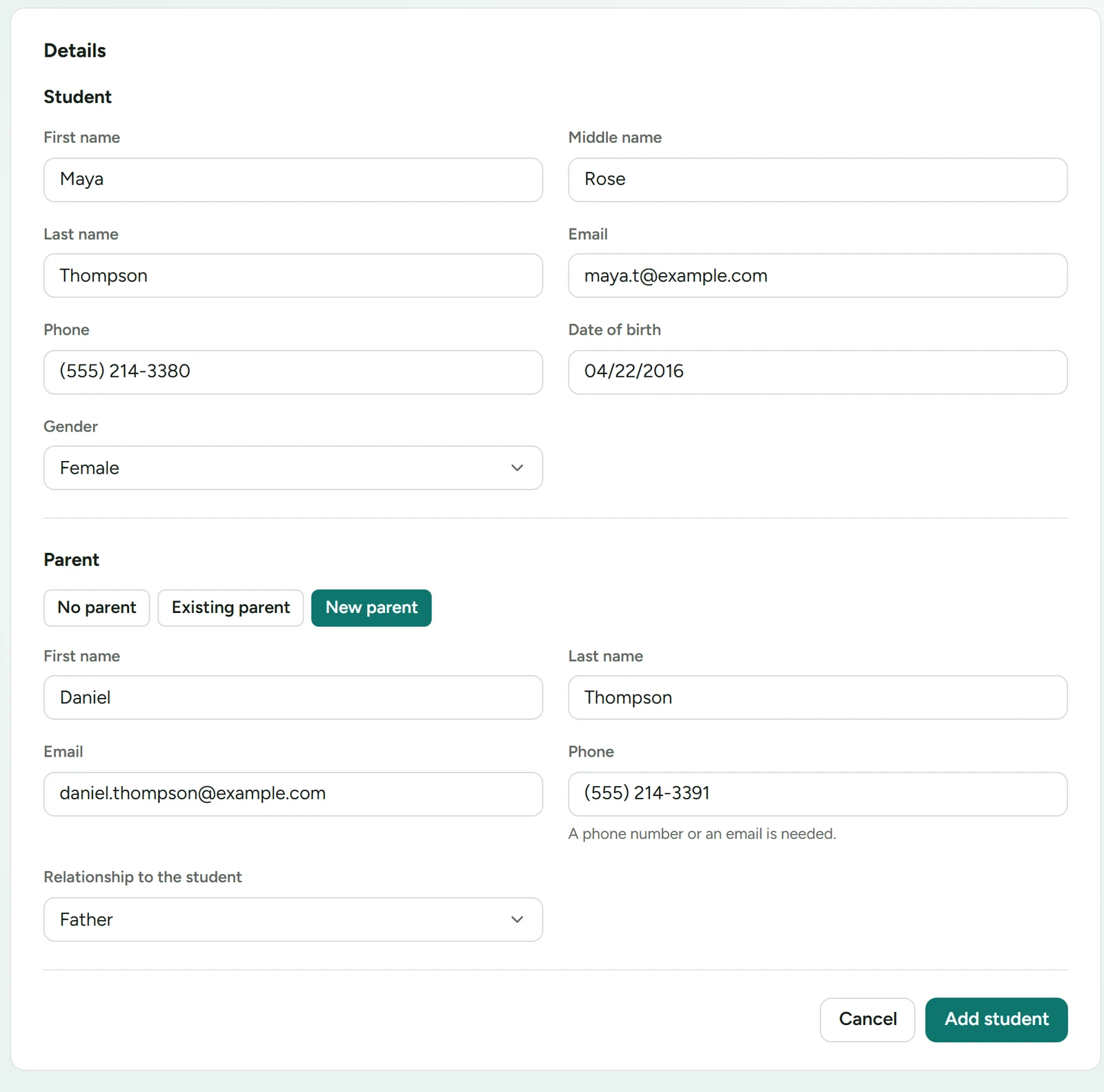
One short form for the student and their parent.
The work of a school day.
Teachers open their own classes. The office sees everything. Both work in the same records, so a mark taken in class is on the student's record before the parent asks.
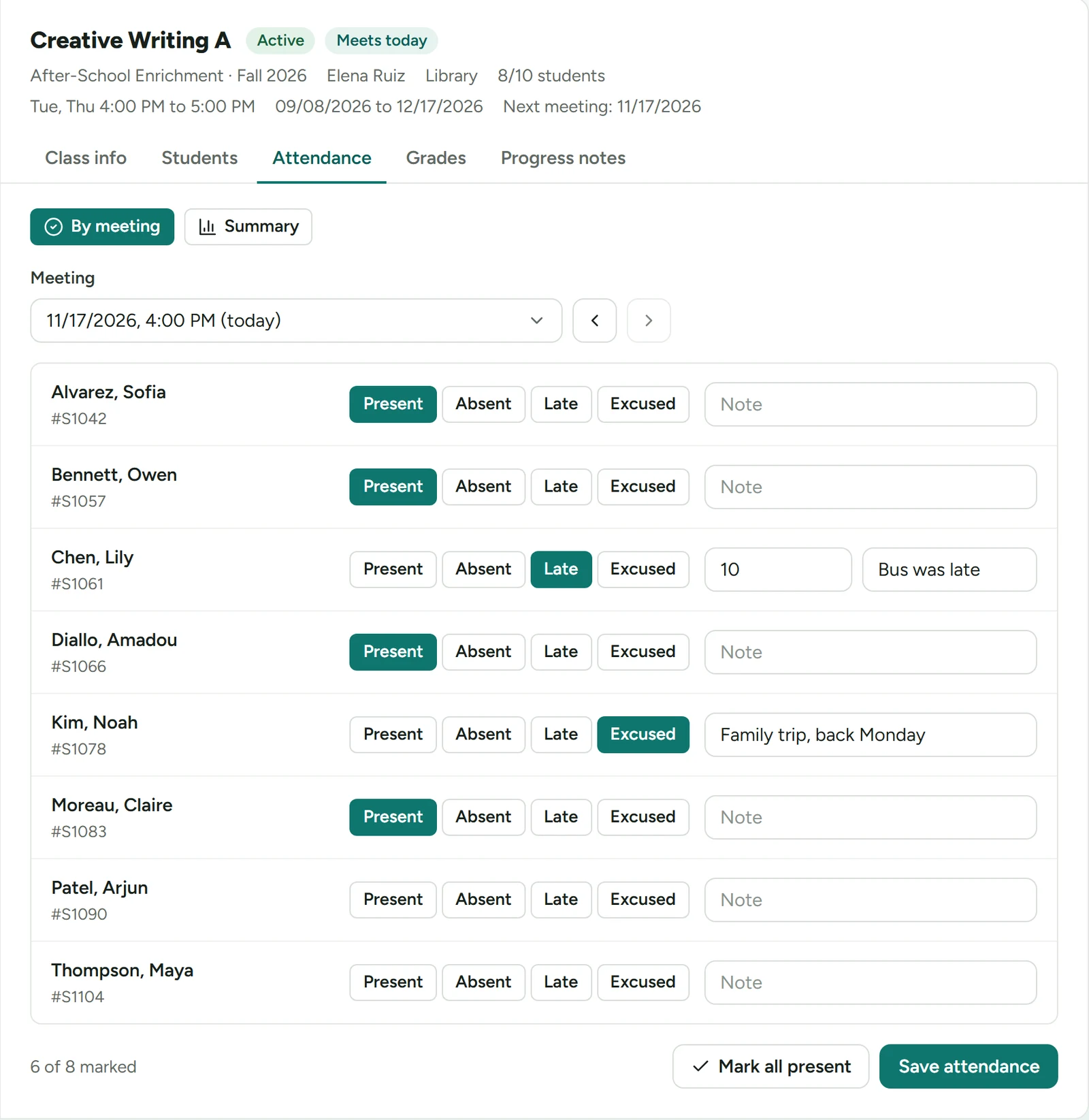
Attendance for today's meeting.
The teacher opens the class, and today's meeting is already picked. Mark each student present, absent, late or excused, add minutes or a note, and save.
- Mark all present in one click
- Late minutes and notes
- A summary per student and class
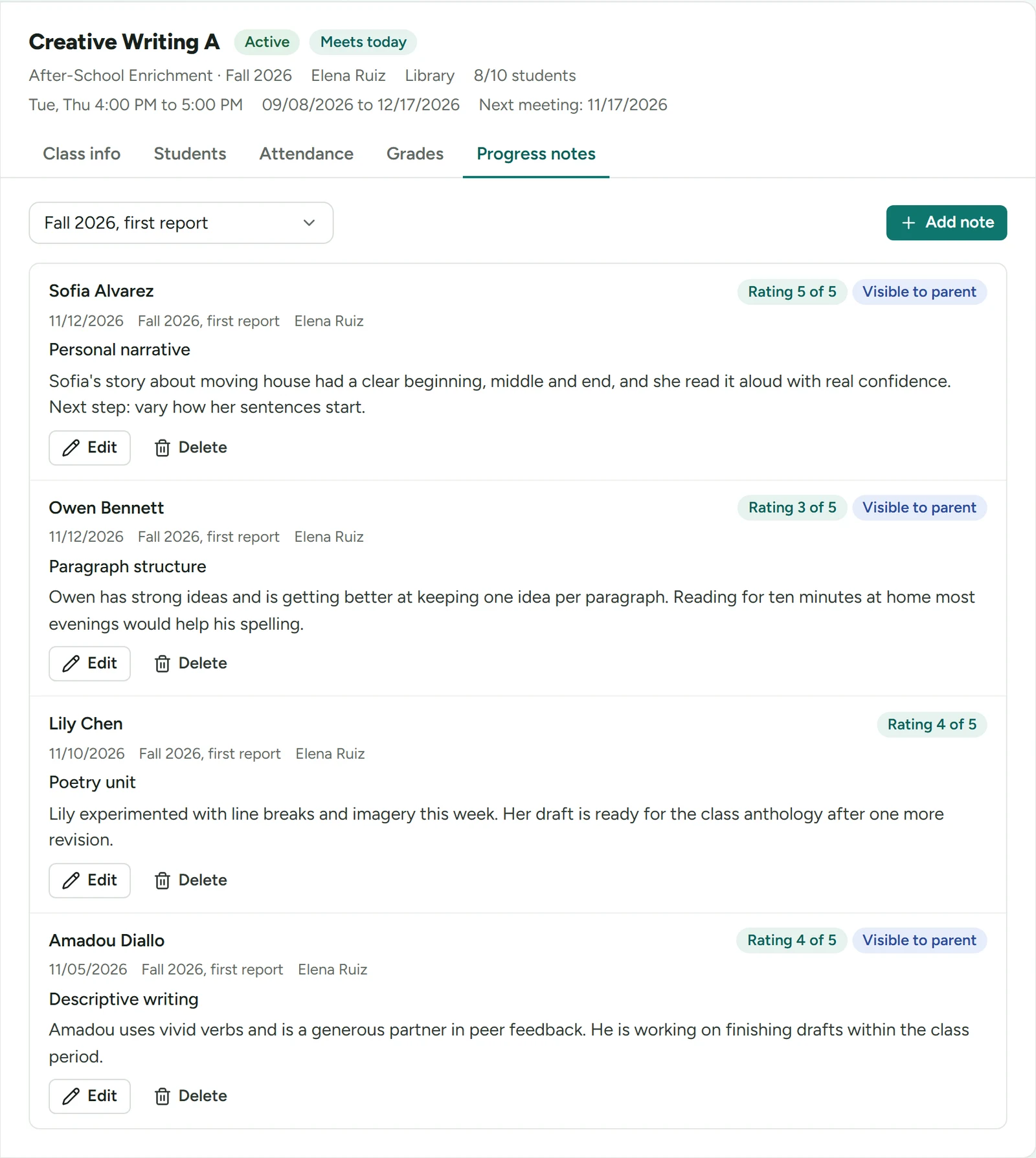
Grades and progress notes in one place.
Enter marks against your own grade scale. Write a progress note for each report period with a topic, a rating and a comment, and choose which ones parents can see.
- Your grade scale, your report periods
- Notes visible to parents, or not
- Teachers see only their classes
A ledger for every student.
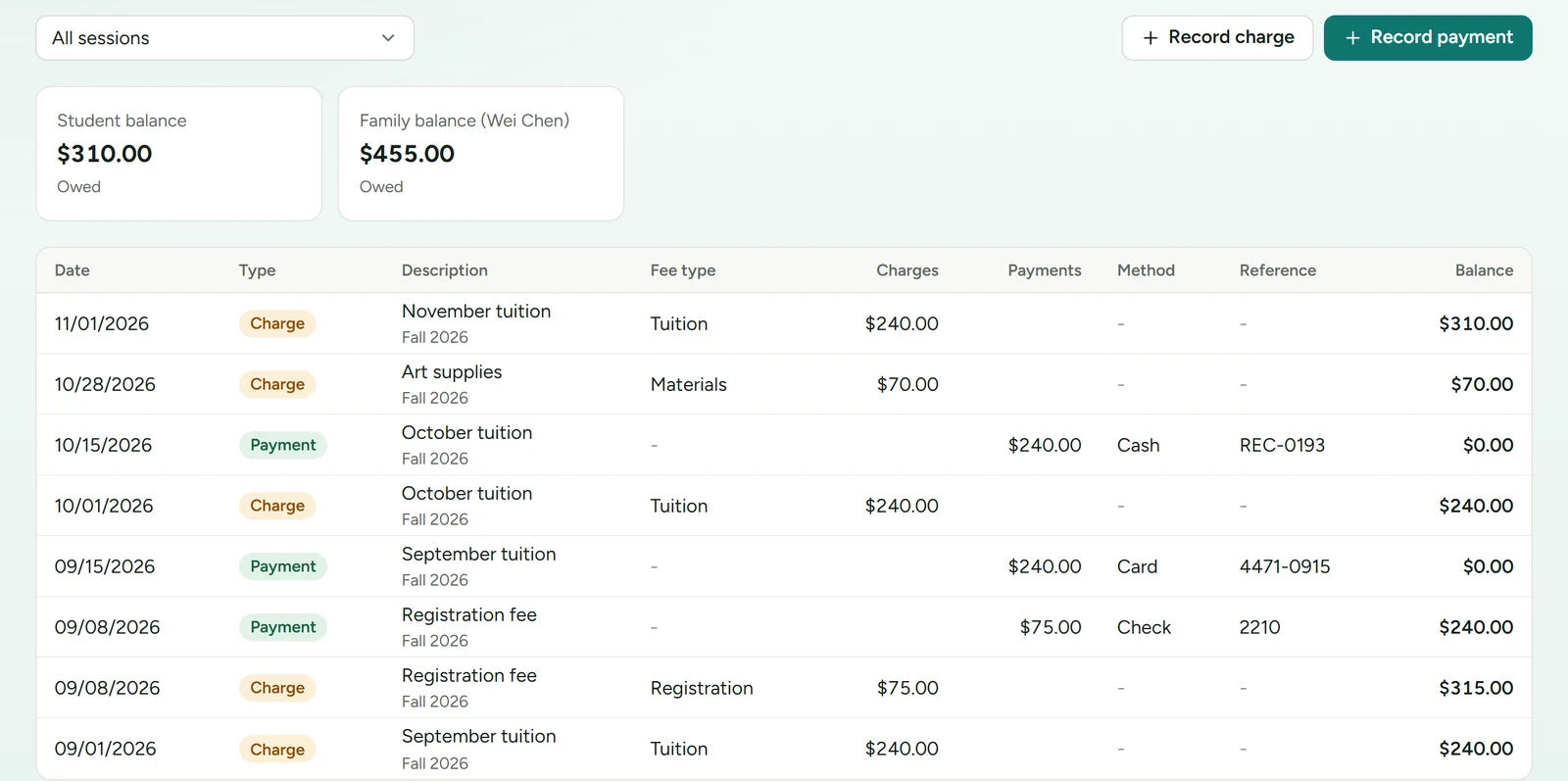
Tuition and fees are charged from the fee template. Record payments by cash, card or check, see the student's balance and the family's, and set up a payment schedule.
- Charges from your fee templates
- Student and family balances
- Payment schedules
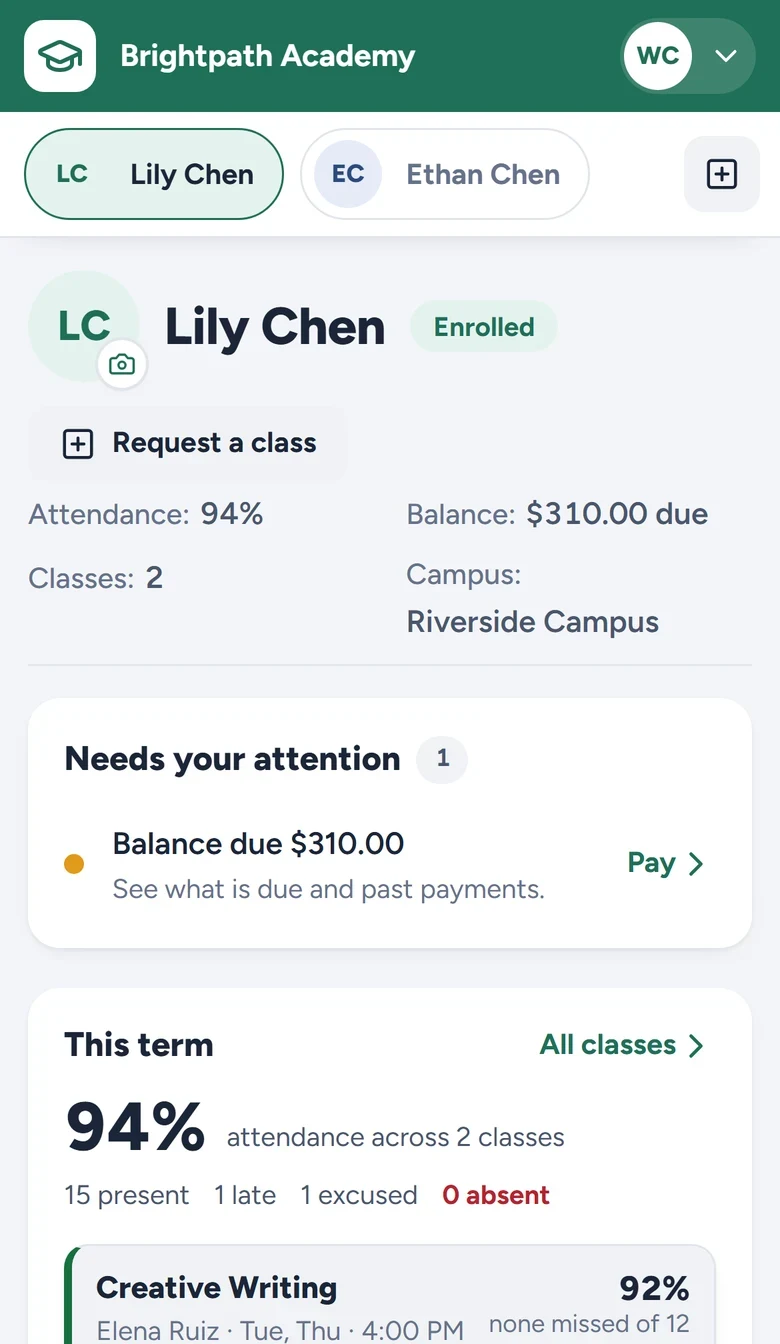
Parents see what they need, on their phone.
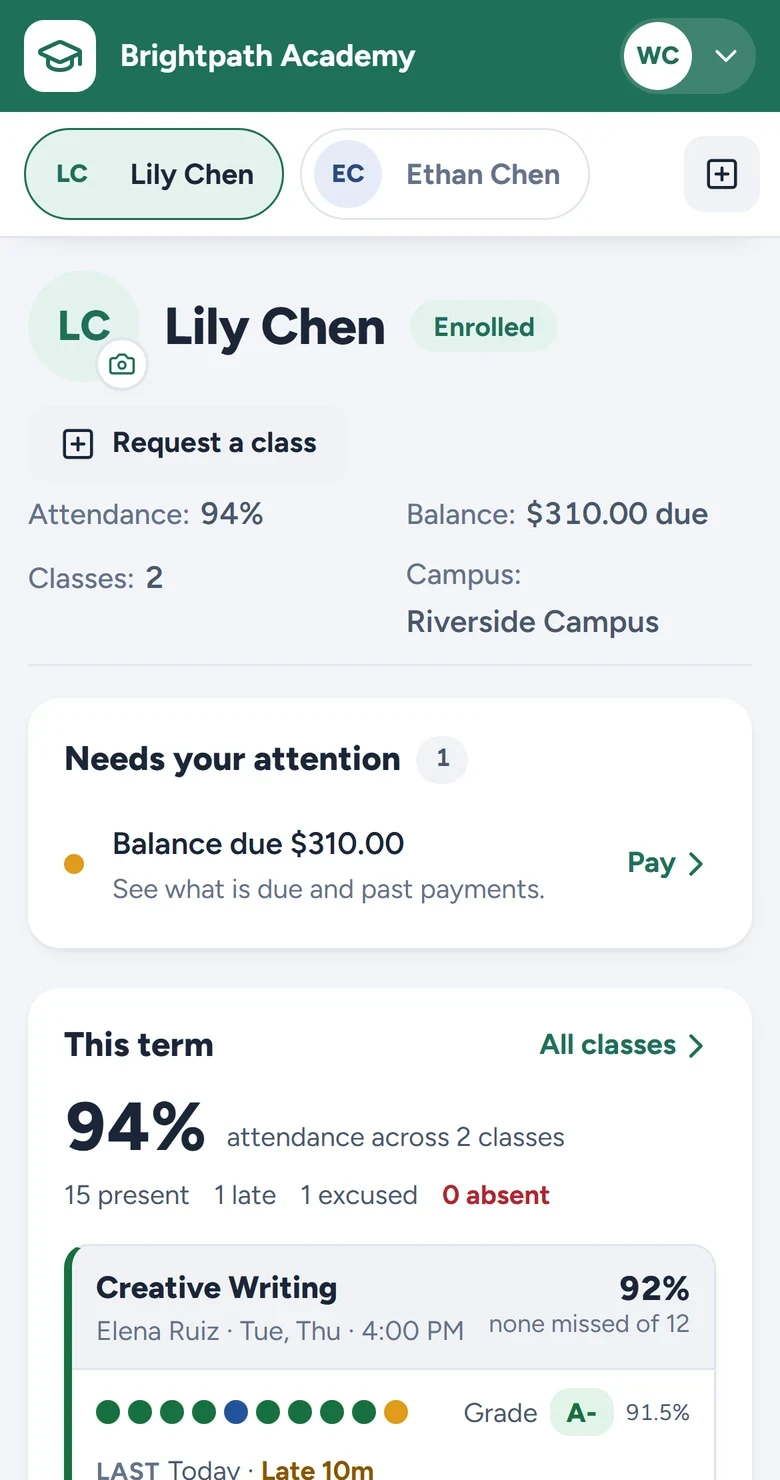
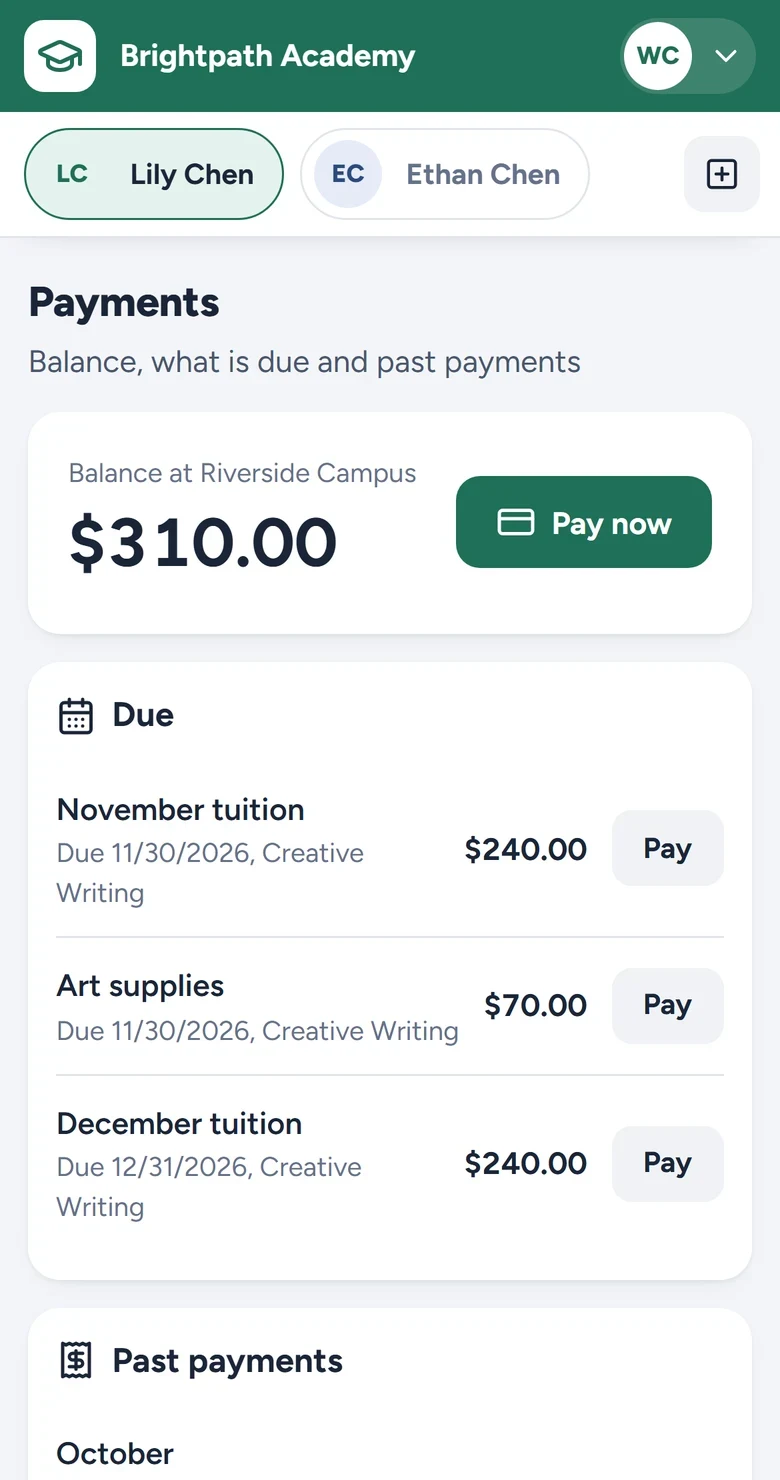
Every parent gets a sign-in to a portal that works on any phone. They see each of their students, so fewer questions reach the office.
Attendance and grades
This term's attendance for each class, the last and next meeting, and the current grade.
Balance and payments
What is due and when, past payments and receipts.
Schedule
Every class meeting for every student in the family.
Requests
Ask for a class. The request waits in the office's queue for a decision.
Questions schools ask us.
Something else on your mind? Ask us directly.
What kind of school is this for?
Schools with a handful of staff: tutoring and learning centers, weekend and language schools, enrichment programs and small private schools. Colleges and career schools use CTeck Campus instead.
Is it a separate product?
No. It is the school module of VbConnect, so enquiries, messages, appointments and student records share one system and one contact record.
Can teachers see every class?
Only if you let them. Each staff role has its own permissions, and a teacher can be limited to their own classes for attendance and grades.
Do parents need an app?
No. The parent portal runs in the phone's browser. Parents sign in and see each of their students.
Can we bring our current student list?
Yes. Programs, courses, classes and students can be imported from a spreadsheet during setup, and we help you check the first import.
Does it use AI?
The student records do not need it. If you want help with enquiries from new families, VbConnect's digital employees can answer and follow up, with your approval.