
A photo in, the fields out.
For the person holding the receipt
Vendor, date, receipt number, items and total are read from the photo, and anything missing is marked.
- Missing fields flagged, not guessed
- You confirm before it is saved
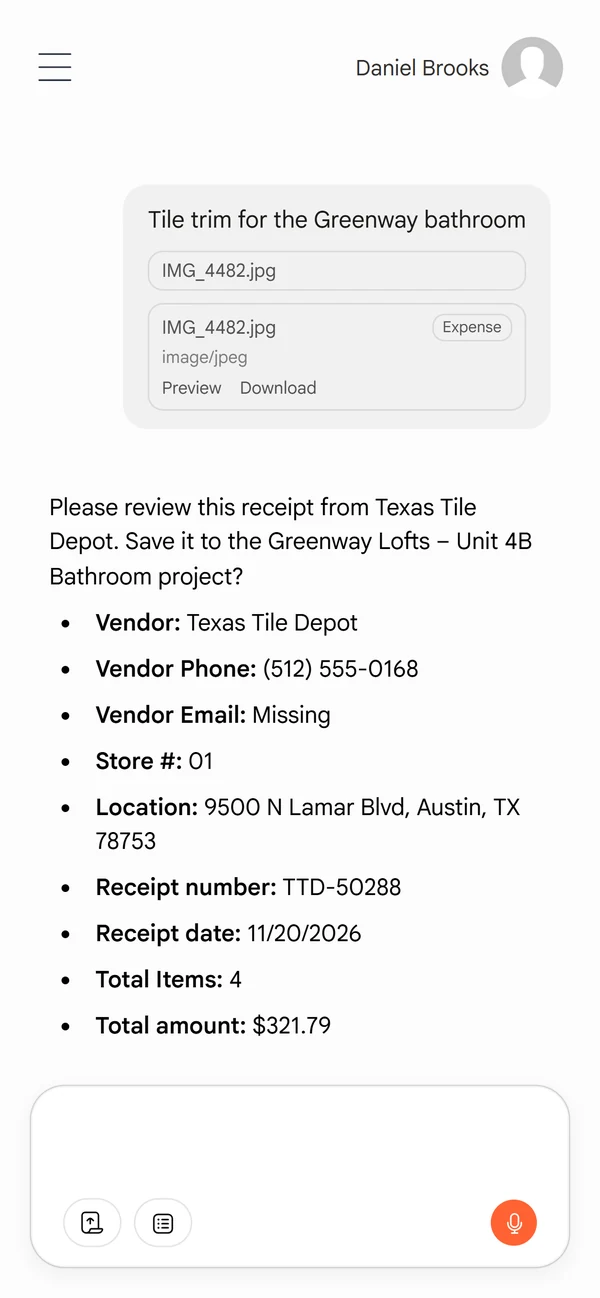
Receipts, invoices and forms retyped by hand, then checked again because someone made a typo. AI reads the document, fills in the fields, and a person confirms anything it is not sure about.
In Talk2Log, our job-cost app, a receipt photo becomes a confirmed expense. We build the same for your documents.
For the person holding the receipt
Vendor, date, receipt number, items and total are read from the photo, and anything missing is marked.
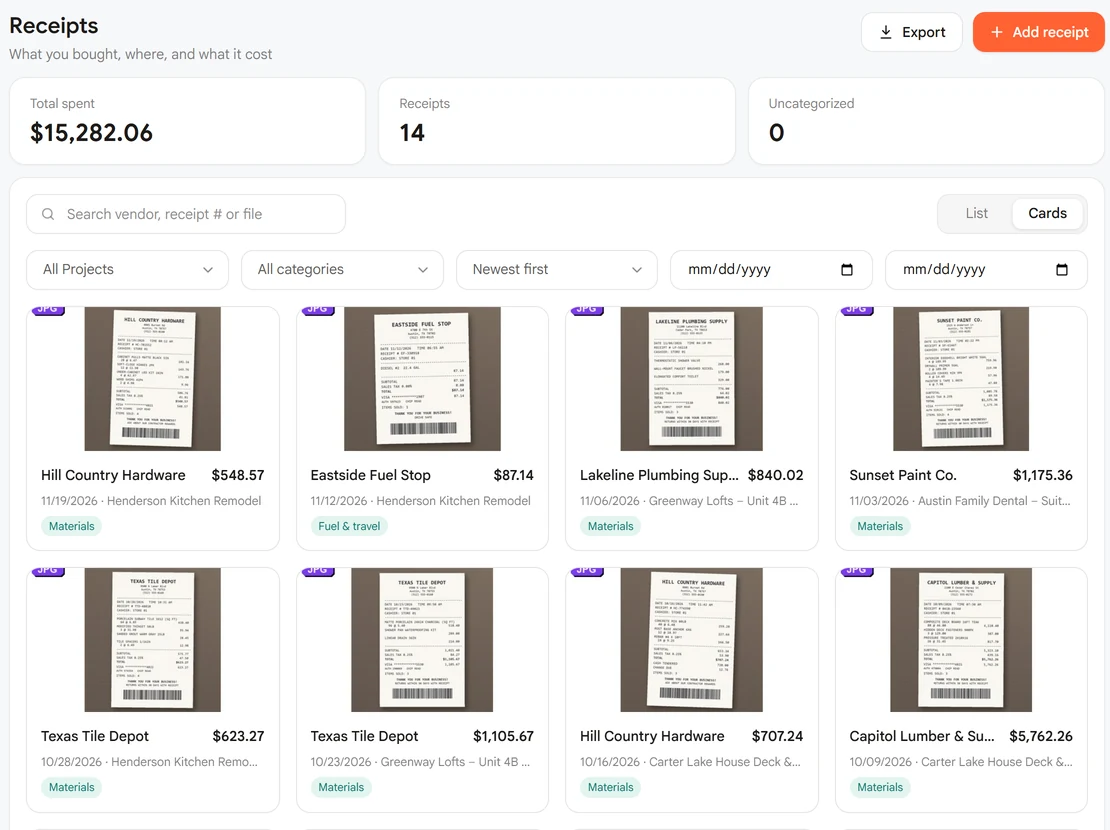
For the office
Each document is filed against the right project and category, with the original photo kept alongside.
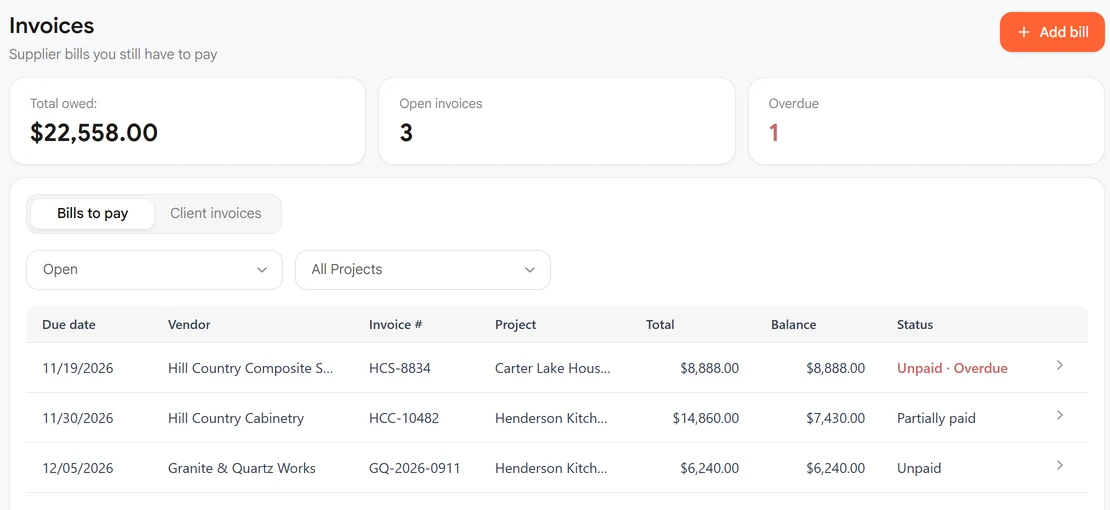
For whoever pays the bills
Supplier invoices become a list of what is owed, with due dates and status, instead of a pile of paper.
For your own documents, such as applications, forms or invoices, we test on real samples first.
Forty supplier invoices arrive in a week, by email and on paper.
Today: each one typed in by hand. With document processing: fields read automatically; a person checks the flagged ones.
Today: found at month end. With document processing: low-confidence fields are shown for review first.
Today: a search through folders. With document processing: search by vendor, amount or date.
An illustration. Accuracy depends on your documents and is measured on samples first.
Measure on your real documents before anything goes live.
Real documents, good and bad.
What to read and what counts as sure.
Accuracy on your samples, reported to you.
Uncertain results go to a person.
Something else on your mind? Ask us directly.
No. Accuracy depends on document quality and format, so validation and human review are part of the design.
Photos, scans and PDFs of receipts, invoices, forms and similar documents. We confirm on your samples.
Into your application or the system you choose, through an integration agreed in the proposal.
It depends on the document types, volume and integrations. You get a written proposal before any commitment.
We will help identify a practical next step.