1. Home
  2. Products
  3. vbSchedule

Smarter scheduling. Better coordination.

Coordinate appointments and reduce the administrative effort of managing schedules. Give staff a clearer way to organize meetings and service appointments. Consultations, interviews, reviews and follow-up tasks sit on one calendar by staff member, each kept on the contact's record. Use it on its own, or as part of CTeck Connected Campus, where the screens below come from.

vbScheduleView Calendar / Week
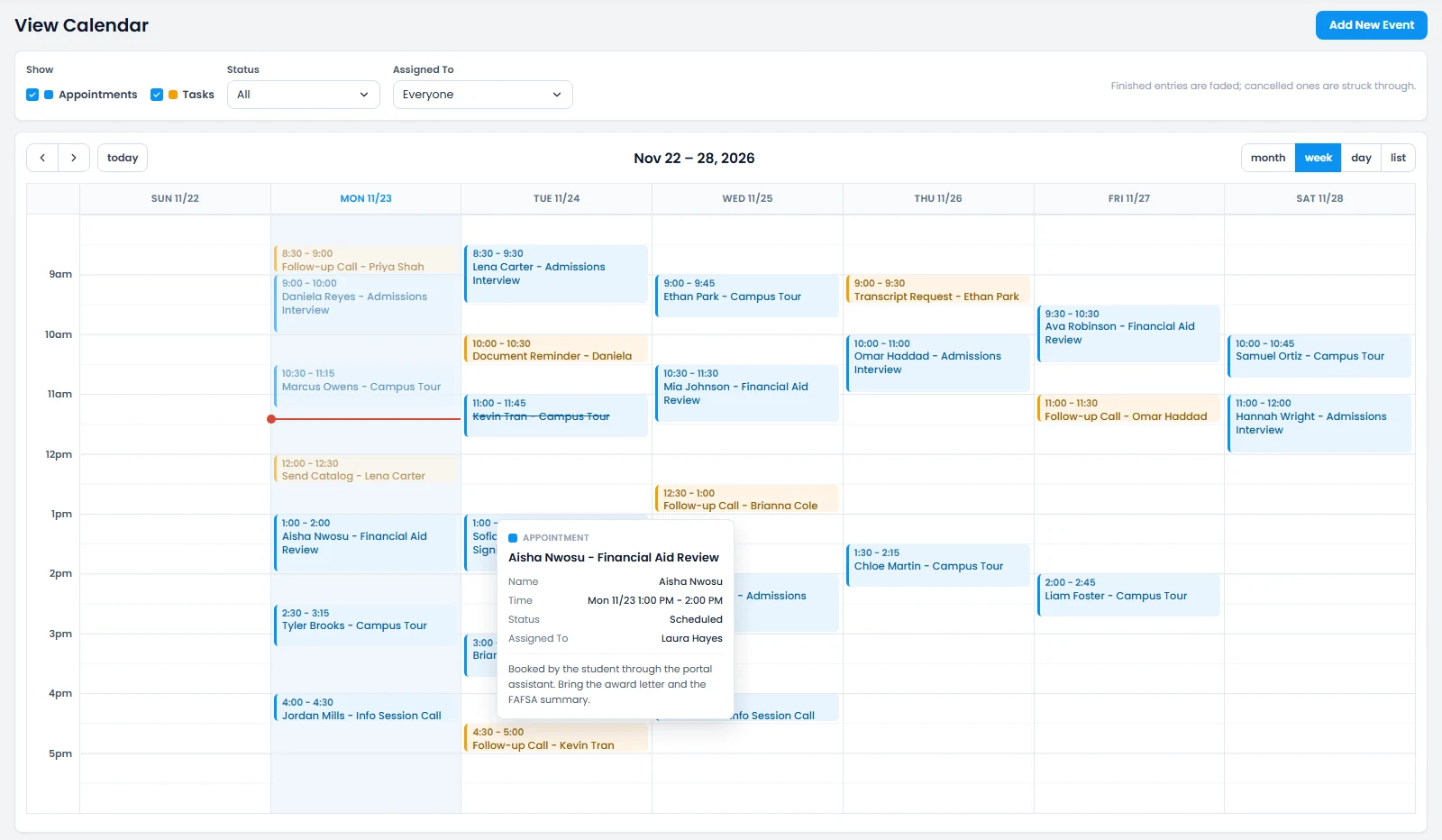
A vbSchedule week calendar: campus tours, admissions interviews and financial aid reviews in blue, follow-up tasks in amber, finished entries faded, one cancelled tour struck through, and the details of one appointment open.
A week of admissions appointments and tasks. Demo data.

Is vbSchedule right for you?

Who it is for

Service teams, advisors and administrative staff.

The challenge it addresses

Manual scheduling, fragmented calendars and missed follow-ups.

Common uses

Coordinate consultations, admissions interviews and advising appointments.

From booking to the student record

Your staff see their own day, managers see everyone, and nothing about an appointment lives outside the record.

Booked from the record.

For service teams, advisors and admissions

Appointments are booked from the lead or student, assigned to a staff member and listed with the rest of that person's follow-up.

  • Appointments and tasks on one calendar
  • Filter by staff member and status
  • Reminders by text and email
vbEngageLeads
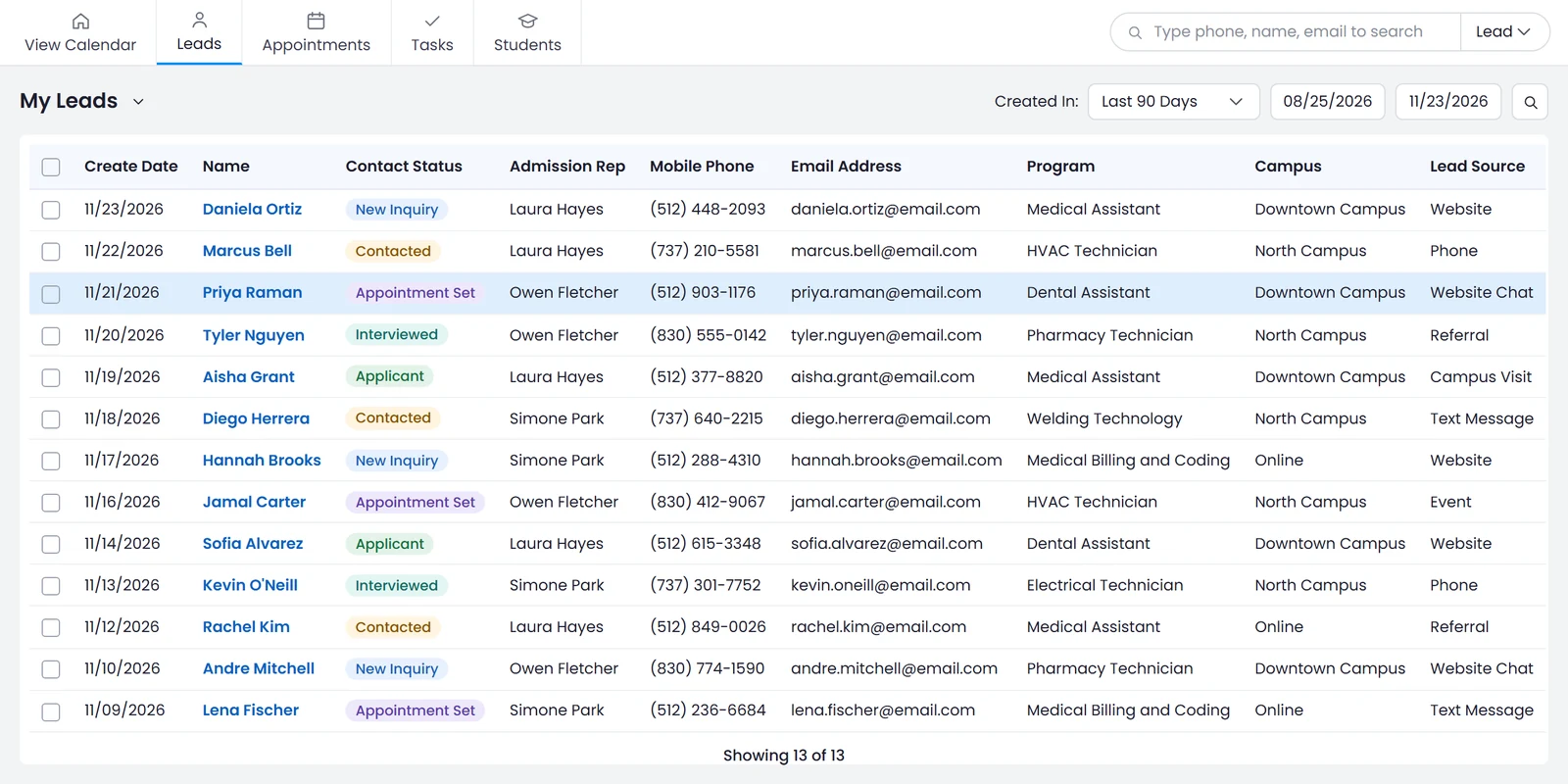
A vbSchedule lead list: leads by admissions rep with their stage, program, last contact and next follow-up.
Each lead's next follow-up, by rep. Demo data.

Campus events too.

For events and outreach

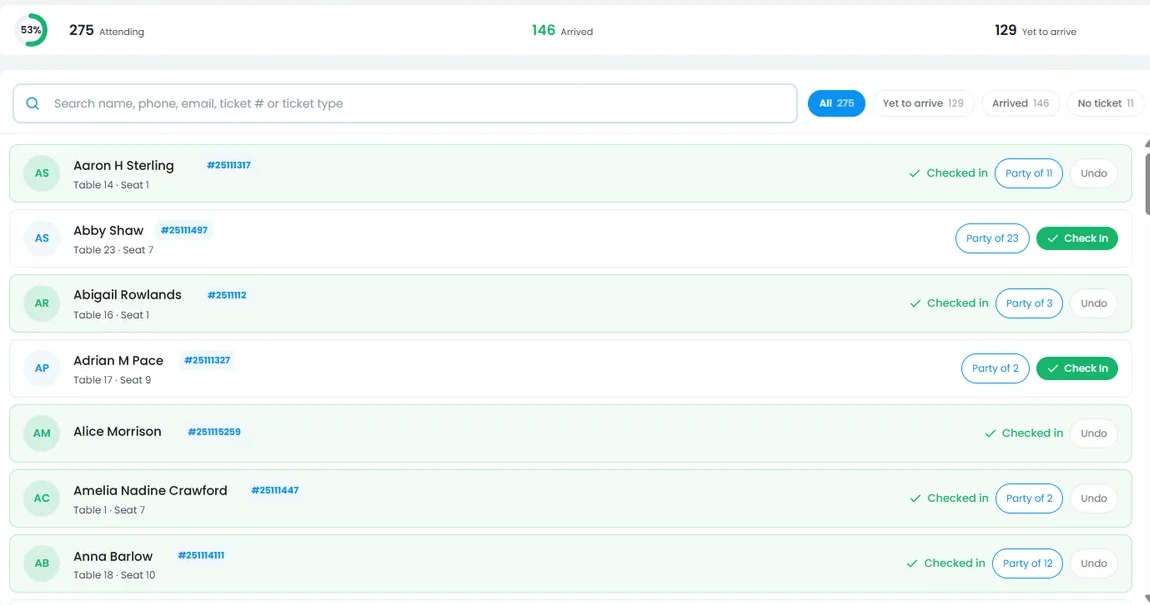
Open houses, orientations and fundraising dinners run in vbEvents, with registration, tickets and check-in at the door on the same contacts.

  • Registration and guest lists
  • Check-in at the door
  • Attendance kept on the contact
vbEventsCheck-in
The vbEvents check-in screen: guests listed with their table, seat and party, some checked in and some still to arrive, with arrived and yet-to-arrive counts at the top.
Check-in at the door. Demo data.

AI agents in vbSchedule

They run on OpenAI's models and work from your records. Anything they send a student or lead waits for a person to approve it, until you decide otherwise.

  • Reminders preparedAppointment reminders drafted for staff to approve and send.
  • Follow-up after a no-showA follow-up prepared when someone misses their appointment.
  • Every step on recordWhat it did, why, and who approved it, kept on the lead's or student's record.

How AI agents work

Integration and implementation

We confirm calendar connectivity, time zones, availability rules and notification channels before launch. Configuration, onboarding, testing and support are agreed up front.

Questions about vbSchedule

Something else on your mind? Ask us directly.

Can we connect our existing calendar?

We evaluate calendar compatibility and booking rules during setup.

Can we purchase this independently?

We assess your requirements and any dependencies. Adopting the complete campus suite is not a prerequisite.

How much does it cost?

Pricing depends on your scope and configuration. Get pricing and we will prepare it for you.

See how vbSchedule can fit your organization

Request a personalized demonstration, or ask for pricing based on your scope.

On the call

  1. 1How your team works today, and where time goes
  2. 2vbSchedule on real screens with demo data
  3. 3What an AI agent would do, and what it asks first
  4. 4The systems you keep, and how we connect them