1. Home
  2. Products
  3. vbDocs

Simplify your document workflows.

Organize business and institutional documents in a central application. Make important records easier to find and support consistent document handling. Build your agreements and forms once, fill them in from the record, send them for signature and keep the signed copy on file. Use it on its own, or as part of CTeck Connected Campus, where the screens below come from.

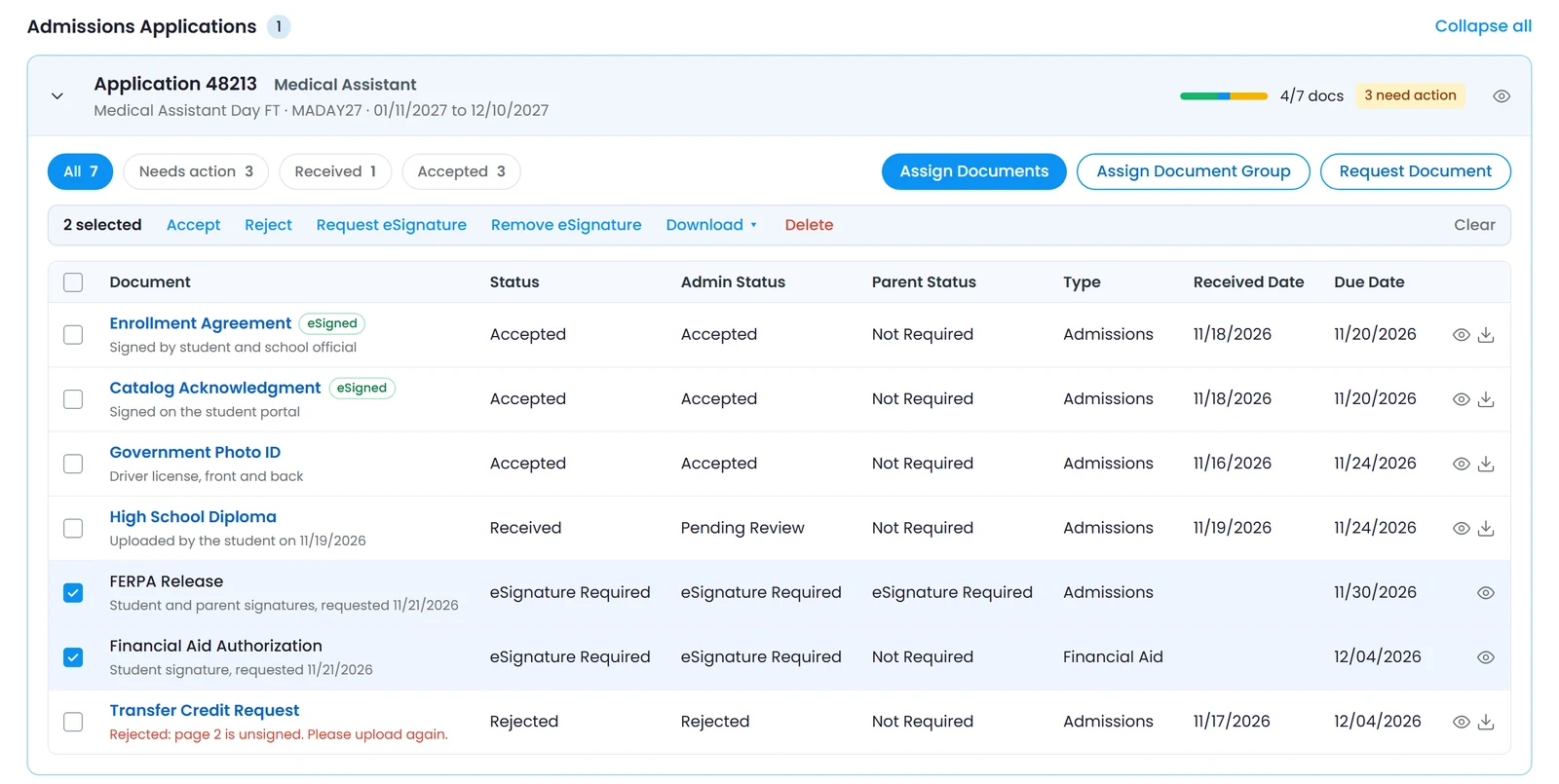
vbDocsApplication / Documents
The documents on one application: an enrollment agreement and catalog acknowledgment signed, ID and diploma received, and a FERPA release and financial aid authorization waiting for e-signature.
The documents on one application, with signatures requested. Demo data.

Is vbDocs right for you?

Who it is for

Administrative teams and educational institutions.

The challenge it addresses

Scattered files, manual retrieval and inconsistent document organization.

Common uses

Organize application documents, administrative records and operational files.

From template to signed copy

Your team sets up the templates and the rules once. After that, each student gets the right documents without anyone building them by hand.

The right set for each student.

For administrative and admissions teams

Templates are matched to the student by campus, state, program, status and enrollment type, and their fields fill in from the student record.

  • Template library for agreements, aid forms and policies
  • Fields filled in from the student record
  • Document sets by campus, program and status
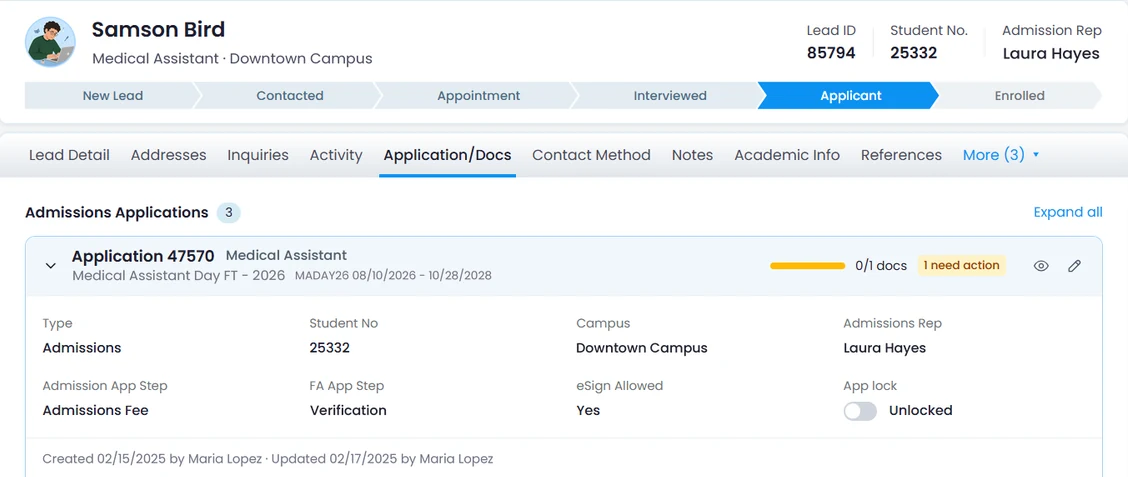
vbDocsLead / Application and documents
A vbDocs lead record at the Applicant stage, with the application's document checklist showing an enrollment agreement waiting for e-signature.
An application with its document checklist. Demo data.

Signed from any device.

For students and parents

Students sign in the portal after their identity is verified. Parents sign for students under 18, and every signature is timestamped and kept with the document.

  • Identity verified before signing
  • Parent signatures for minors
  • Timestamped and kept with the document
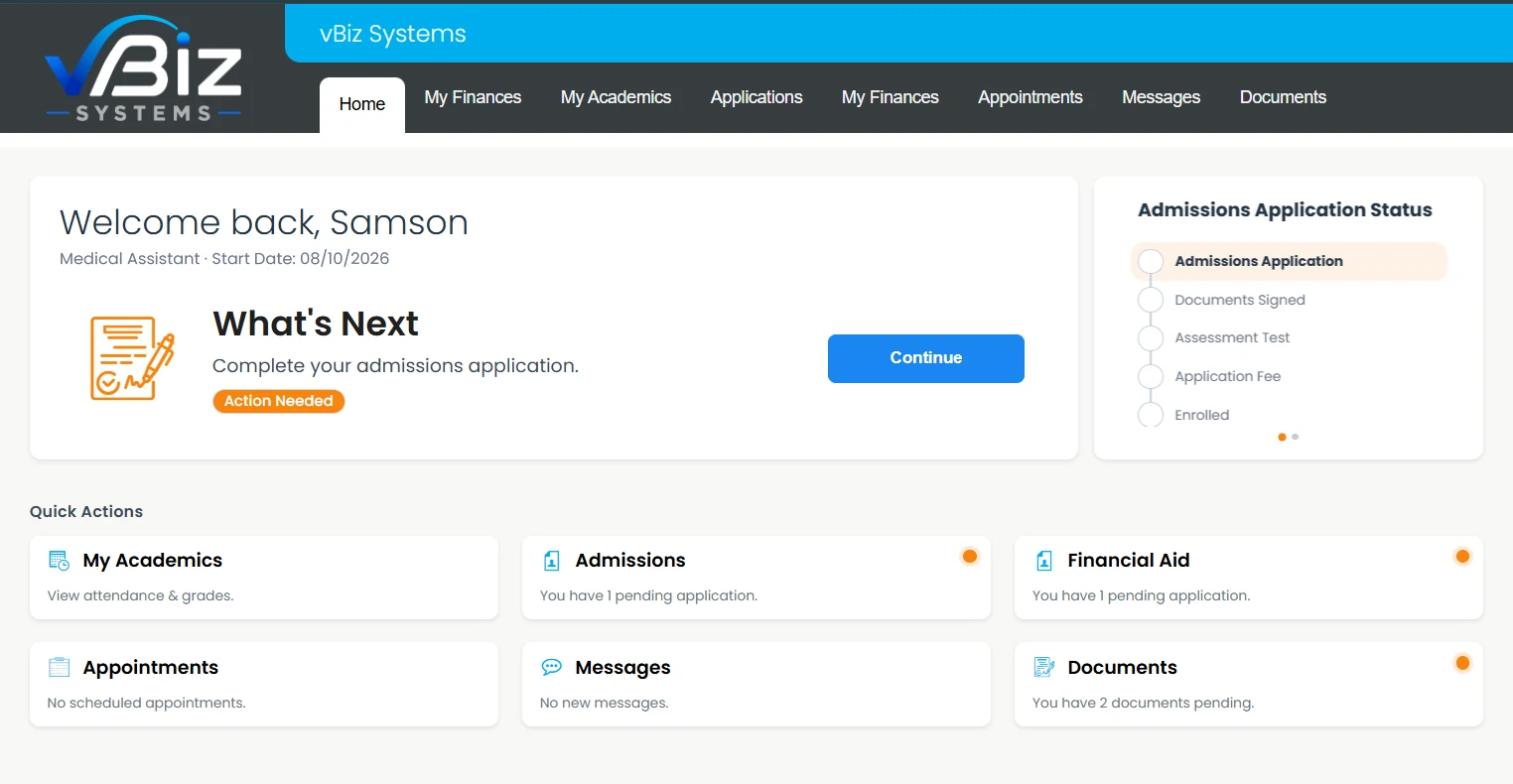
vbDocsStudent portal / Home
A student portal home page showing what's next, the application status, and documents waiting to be signed.
Documents waiting in the student portal. Demo data.

AI agents in vbDocs

They run on OpenAI's models and work from your records. Anything they send a student waits for a person to approve it, until you decide otherwise.

  • Missing signatures followed upReminders prepared for documents still waiting, for staff to approve.
  • Questions answeredStudents ask what a document is for and get an answer from your own policies.
  • Every step on recordWhat it did, why, and who approved it, kept on the student's record.

How AI agents work

Integration and implementation

We review your document sources, access requirements, retention needs and any application connections before launch. Configuration, onboarding, testing and support are agreed up front.

Questions about vbDocs

Something else on your mind? Ask us directly.

Can we migrate existing documents?

We assess file formats, volumes, metadata and permissions before defining migration scope.

Can we purchase this independently?

We assess your requirements and any dependencies. Adopting the complete campus suite is not a prerequisite.

How much does it cost?

Pricing depends on your scope and configuration. Get pricing and we will prepare it for you.

Related offerings

Each application can be adopted on its own and connected as you grow.

See how vbDocs can fit your organization

Request a personalized demonstration, or ask for pricing based on your scope.

On the call

  1. 1How your team works today, and where time goes
  2. 2vbDocs on real screens with demo data
  3. 3What an AI agent would do, and what it asks first
  4. 4The systems you keep, and how we connect them