1. Home
  2. Products
  3. vbCampus

Connected technology for modern campuses.

vbCampus is the student information system in CTeck Connected Campus. Students arrive from admissions with their program and start date already set, and every class, grade and payment builds on the same record.

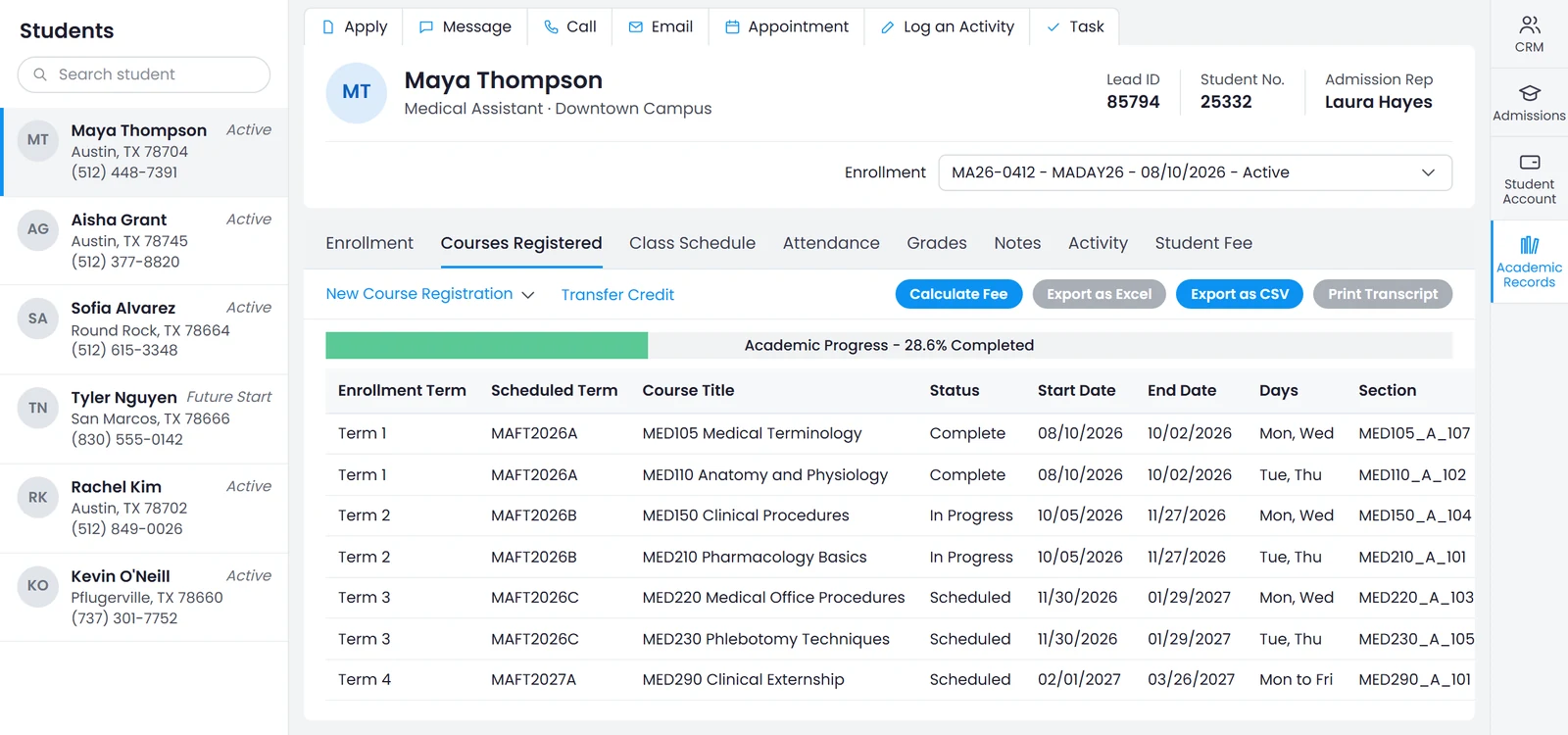
vbCampusStudent / Record
A vbCampus student record: program, enrollment status, current classes and the student's account summary.
A student record. Demo data.

Is vbCampus right for you?

Who it is for

Institutional executives, registrars and IT teams.

The challenge it addresses

Disconnected student records, manual handoffs and fragmented campus workflows.

Common uses

Coordinate student records and institutional operations. Registrar, academic and reporting requirements are assessed during discovery.

What your registrar and faculty work in

Programs, courses and schedules are set up once per campus. Faculty take attendance and enter grades, and the business office keeps the ledger on the same record.

Classes, attendance and grades.

For faculty

Faculty see their own classes, mark attendance for each class day and enter grades for every assignment and test.

  • Attendance by class day with the last five days at a glance
  • Grades for assignments, quizzes and every gradable item
  • Transcripts from the academic record
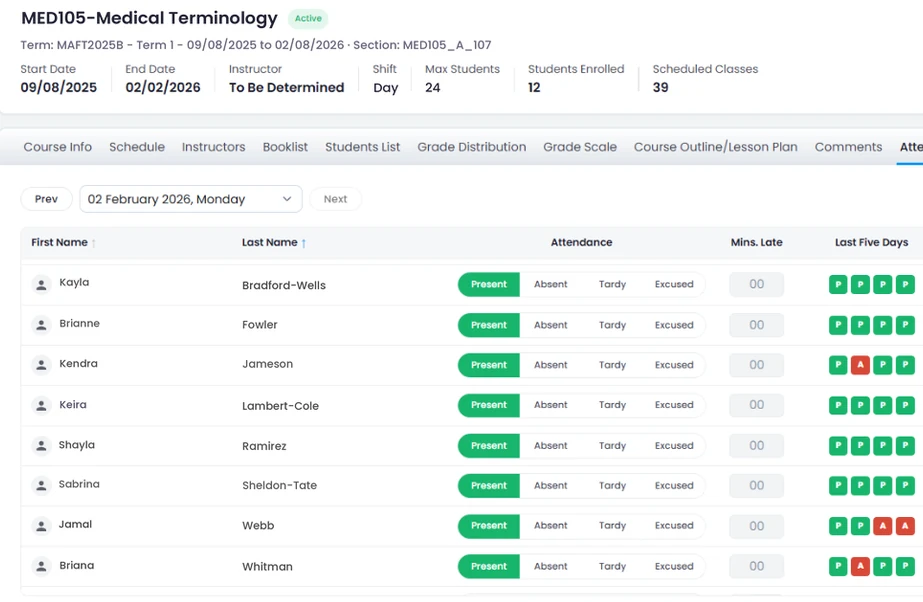
vbCampusClass schedule / Attendance
A class's attendance for one day: each student marked Present, Absent, Tardy or Excused, minutes late, and colour-coded marks for the last five class days.
Taking attendance for a class day. Student names are samples.

Every charge and payment, on one ledger.

For the business office

Each student has a ledger card and a payment schedule. Payments made in the portal post to the ledger, and reminders go out before a payment is due.

  • Ledger card with charges, payments and balance
  • Payment schedules per student
  • Online payments from the student portal
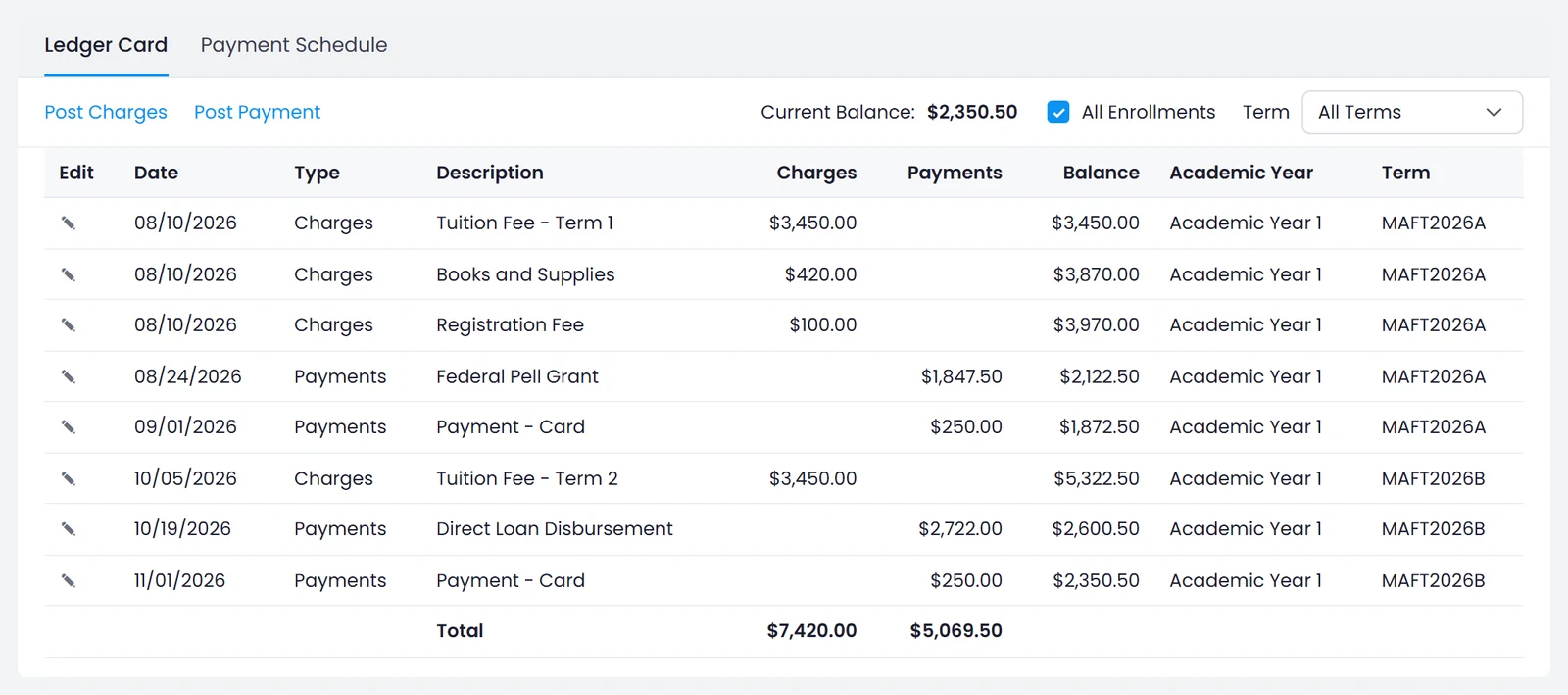
vbCampusStudent account / Ledger
A student's ledger card: tuition, fees and payments by date, with the running balance.
A student's ledger card. Demo data.

Students see their own record.

In the student portal

Students check their schedule, attendance, grades and balance, pay online, message staff and book appointments.

  • Schedule, attendance and grades
  • Balance and payments
  • Messages and appointments
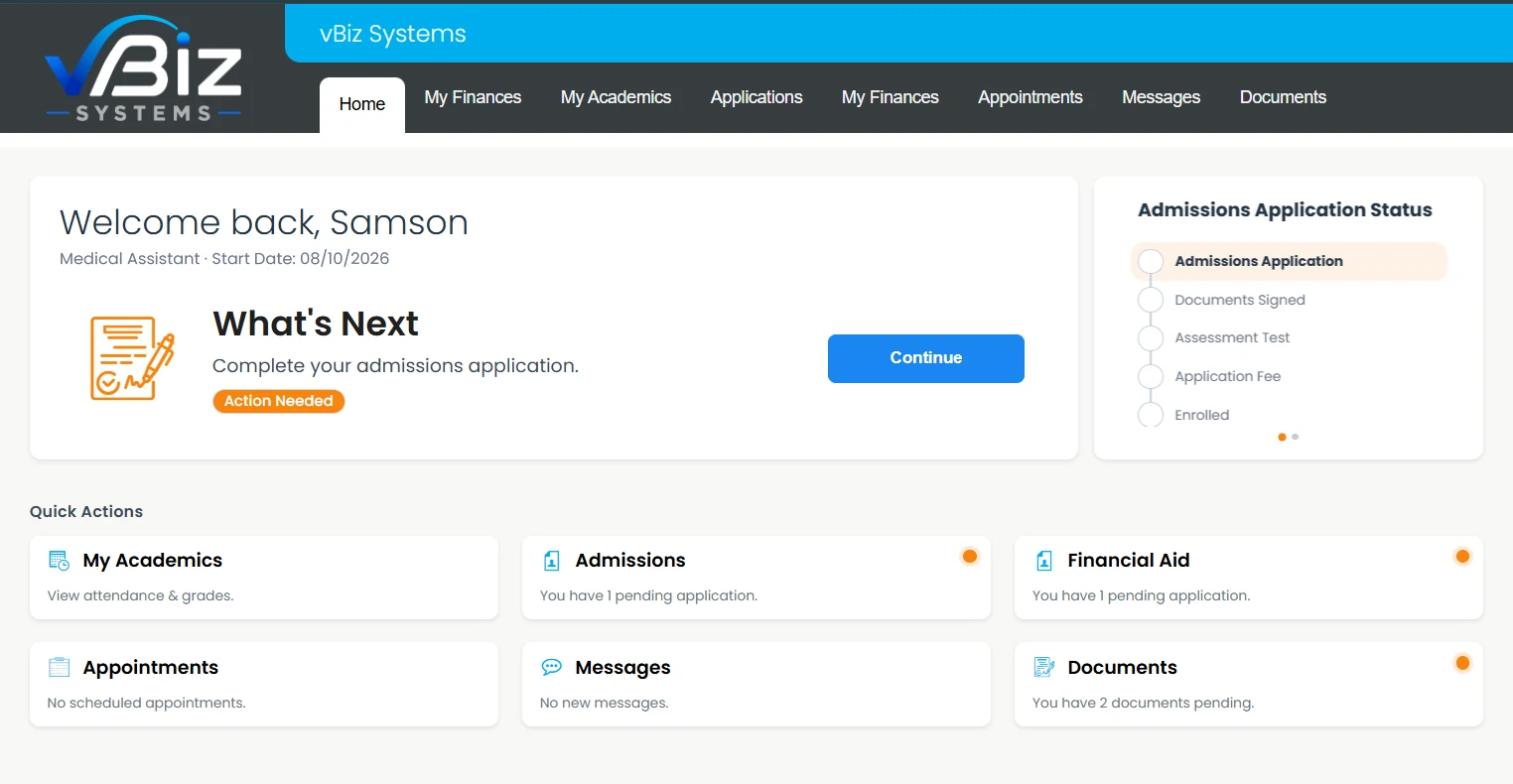
vbCampusStudent portal / Home
A student portal home page with what's next, the student's status and quick links to academics, finances, appointments, messages and documents.
The student portal. Demo data.

AI agents in vbCampus

They run on OpenAI's models and work from your records. Anything they send a student waits for a person to approve it, until you decide otherwise.

  • Questions answeredStudents ask about their schedule, balance or next step and get answers from their own record.
  • Messages preparedAttendance and payment reminders drafted for staff to approve.
  • Every step on recordWhat it did, why, and who approved it, kept on the student's record.

How AI agents work

Integration and implementation

We review your existing data, migration needs, roles, institutional interfaces, reporting and deployment requirements before launch. Configuration, onboarding, testing and support are agreed up front.

Questions about vbCampus

Something else on your mind? Ask us directly.

Can implementation be phased?

We evaluate a phased rollout based on your requirements, data readiness and dependencies.

Can we purchase this independently?

We assess your requirements and any dependencies. Adopting the complete campus suite is not a prerequisite.

How much does it cost?

Pricing depends on your scope and configuration. Get pricing and we will prepare it for you.

See how vbCampus can fit your organization

Request a personalized demonstration, or ask for pricing based on your scope.

On the call

  1. 1How your team works today, and where time goes
  2. 2vbCampus on real screens with demo data
  3. 3What an AI agent would do, and what it asks first
  4. 4The systems you keep, and how we connect them